
Every few months a service emails you: "We've updated our Terms of Service and Privacy Policy." The email rarely tells you what changed, and the documents are thousands of words long. Yet these are exactly the documents where one new sentence can matter: a new right to use your content, a longer data retention period, an arbitration clause.
Web archives keep old versions of these pages, which means you can compare them yourself.
Step 1: Find the before and after
- 1
Get the policy URL
Copy the address of the current terms or privacy page.
- 2
Find a capture before the change
Look it up in an archive and open a capture from shortly before the update email or the policy's "last updated" date.
- 3
Capture the current version
Use Archive now so the new version is timestamped in a public archive too.
Web Archive Viewer's Snapshot by date opens the capture closest to the date you pick, and Archive now requests a fresh capture on the three services that accept on-demand saves.
Step 2: Compare the two versions
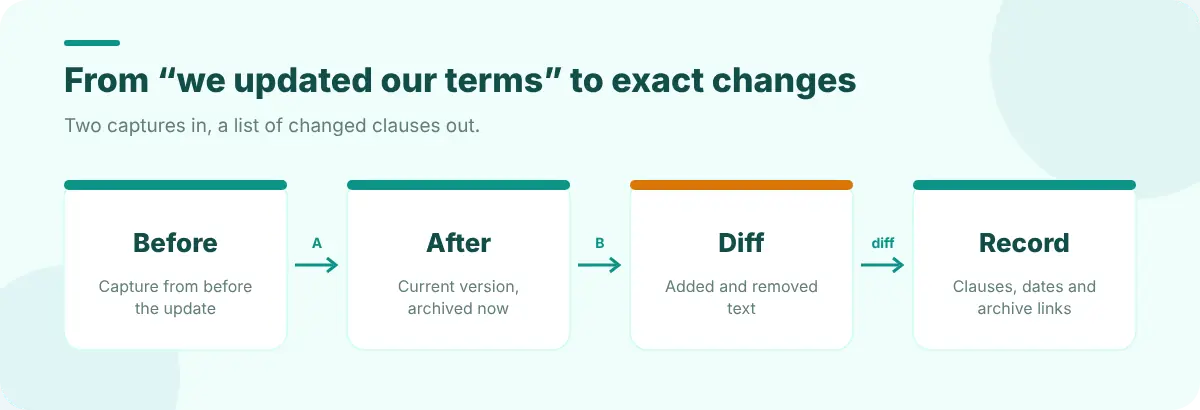
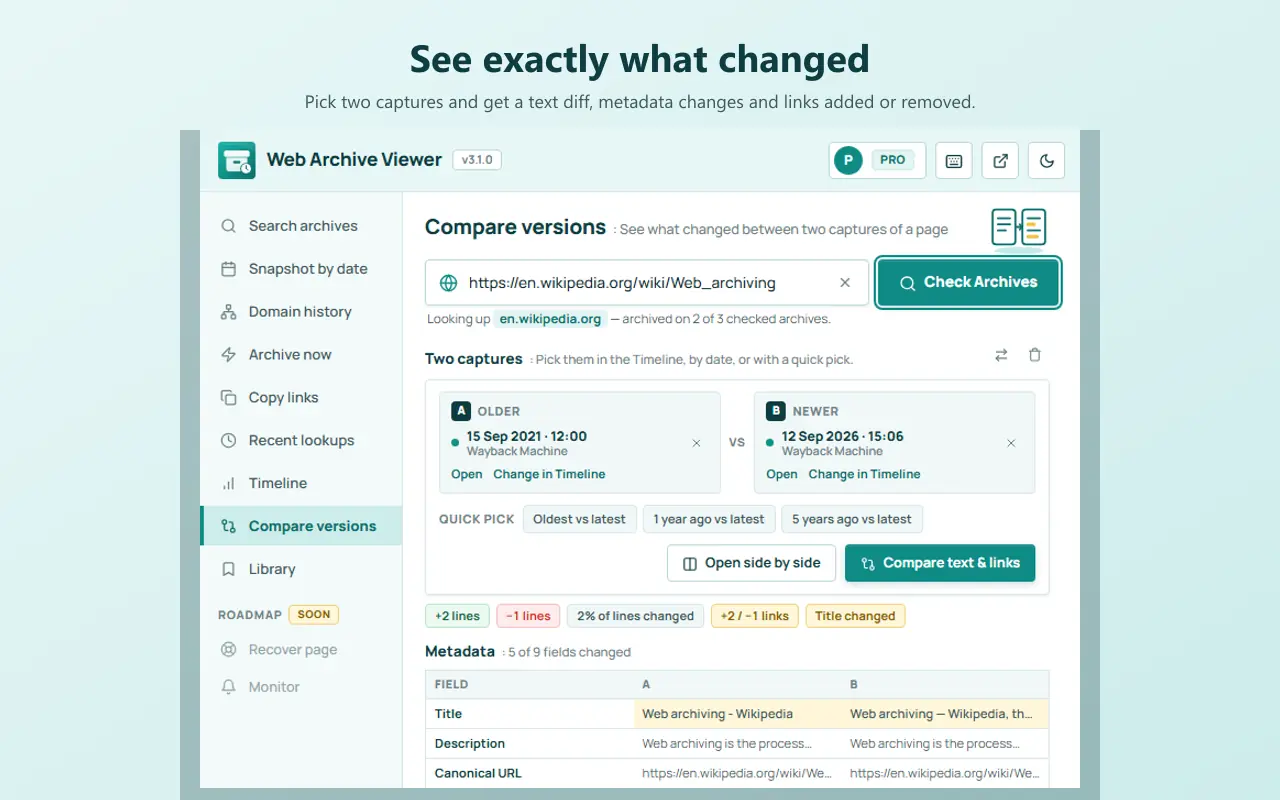
Reading two long documents side by side is tiring and error-prone. A text diff highlights only what was added and removed. Options, from free to fastest:
- Side by side (free in Web Archive Viewer's Compare versions): good for spotting restructured sections.
- A text diff by hand: copy the text of each version into a diff tool. Web Developer Tools' Text Diff Viewer runs locally in your browser.
- A diff built for web pages (Web Archive Viewer Pro): extracts the readable text, shows a change summary, the added and removed passages, and changes to headings and links.
What to look for
| Section | Changes worth noticing |
|---|---|
| Data collected | New categories of data, such as location, contacts or biometrics |
| Use of your content | New licences to use, modify or train on what you upload |
| Sharing | New partners, "affiliates" or advertising uses |
| Retention | Longer periods, or deletion that's no longer promised |
| Disputes | New arbitration clauses or class-action waivers, and opt-out deadlines |
| Changes clause | Whether they can change terms without notice |
Keep a record
If the change matters to you, for a complaint, an article or a dispute, keep the evidence: the full archive URLs with timestamps for both versions, a summary of what changed, and the date you checked. Citing an archived web page shows the formats, and Web Archive Viewer's Pro Evidence reports turn a comparison into a shareable read-only page with both captures and their archive links.
Make it a habit
For the handful of services you rely on most, capture their terms and privacy pages with Archive now once or twice a year, and again whenever you get an update email. Then you'll always have a clean "before" to compare against. The same technique works for pricing pages, as described in researching a competitor's website history.
FAQ
Where can I find an old version of a privacy policy?
Look up the policy URL in the Wayback Machine or another web archive and open a capture from the date you need. Some companies also publish a changelog or archive of past versions.
How do I know exactly what changed?
Use a text diff between the old and new versions. It highlights added and removed passages so you don't have to compare thousands of words by eye.
Are archived policies reliable evidence?
Archived captures are widely used in research and disputes because they're timestamped by an independent service. Keep the full archive URL; how a court treats it depends on the jurisdiction.