
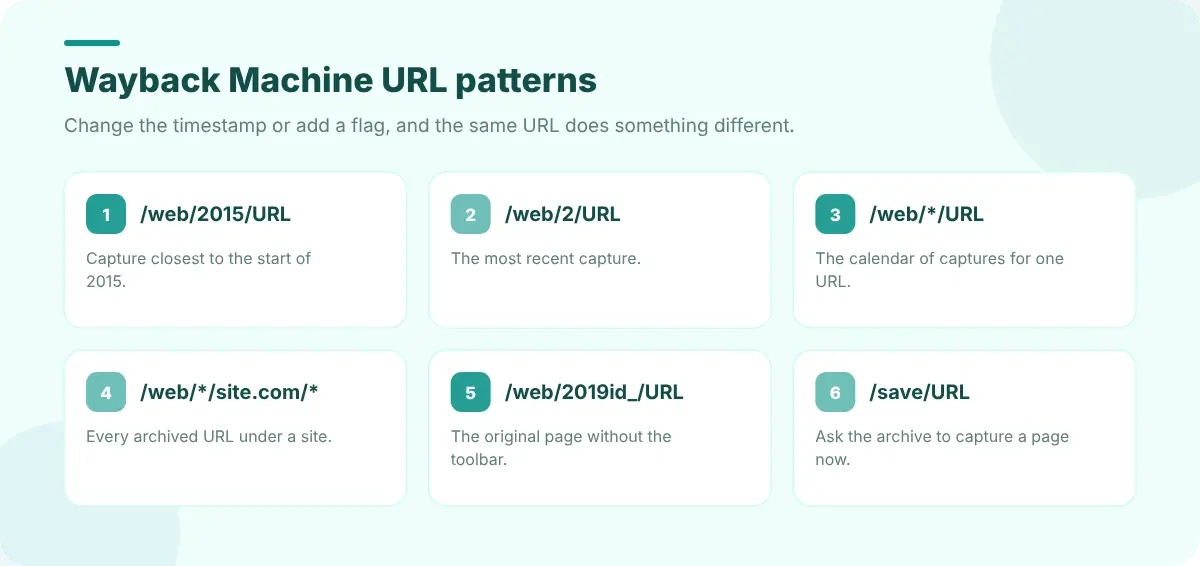
Most people use the Wayback Machine the same way: paste a URL, click a date on the calendar, scroll. That works, but the archive's URLs are a small language of their own, and once you know a few patterns you can jump straight to what you need.
How a Wayback URL is built
https://web.archive.org/web/20190615083000/https://example.com/pricing
                         └─ timestamp ─┘└────── original URL ──────┘
Timestamps are YYYYMMDDhhmmss. You can shorten them, and the archive picks the closest capture.
Navigating by URL
- 01Jump to a year:
web.archive.org/web/2015/example.comopens the capture closest to the start of 2015. Use201506for June 2015,20150615for a specific day. - 02Latest capture:
web.archive.org/web/2/example.com(or any short timestamp in the future) redirects to the most recent capture. - 03Calendar view:
web.archive.org/web/*/example.comshows the calendar for that exact URL. - 04Every URL under a site:
web.archive.org/web/*/example.com/*lists archived URLs below that path, which is great for finding pages that no longer exist. - 05Every URL under a folder:
web.archive.org/web/*/example.com/blog/*narrows the list to one section.
Flags that change what you get
| Add after the timestamp | You get | Useful for |
|---|---|---|
id_ | The original response, without the archive toolbar or rewritten links | Copying HTML, comparing source |
if_ | The page without the toolbar, but with rewritten links | Clean screenshots |
im_ | The raw image | Saving archived images |
Saving and checking pages
- 01Save a page now:
web.archive.org/save/https://example.com/pageasks the archive to capture it. See how to archive a web page permanently for other services. - 02Check status codes in the calendar: dots are colour-coded: blue for normal captures, green for redirects, orange and red for errors. A page that "has captures" may only have captured its 404.
- 03Use the Changes view where available to see when a page's content actually changed between captures.
The CDX API for power users
The CDX server returns capture lists as plain text or JSON, which makes it the fastest way to answer "how many captures, and when?" for scripts and spreadsheets.
# All captures of a URL, as JSON
https://web.archive.org/cdx/search/cdx?url=example.com/pricing&output=json

# Only successful captures, one per distinct content version
...&filter=statuscode:200&collapse=digest

# Everything under a domain in 2020
https://web.archive.org/cdx/search/cdx?url=example.com&matchType=domain&from=2020&to=2020
collapse=digest skips identical captures, so each row is a real change.
Do it without remembering any of this
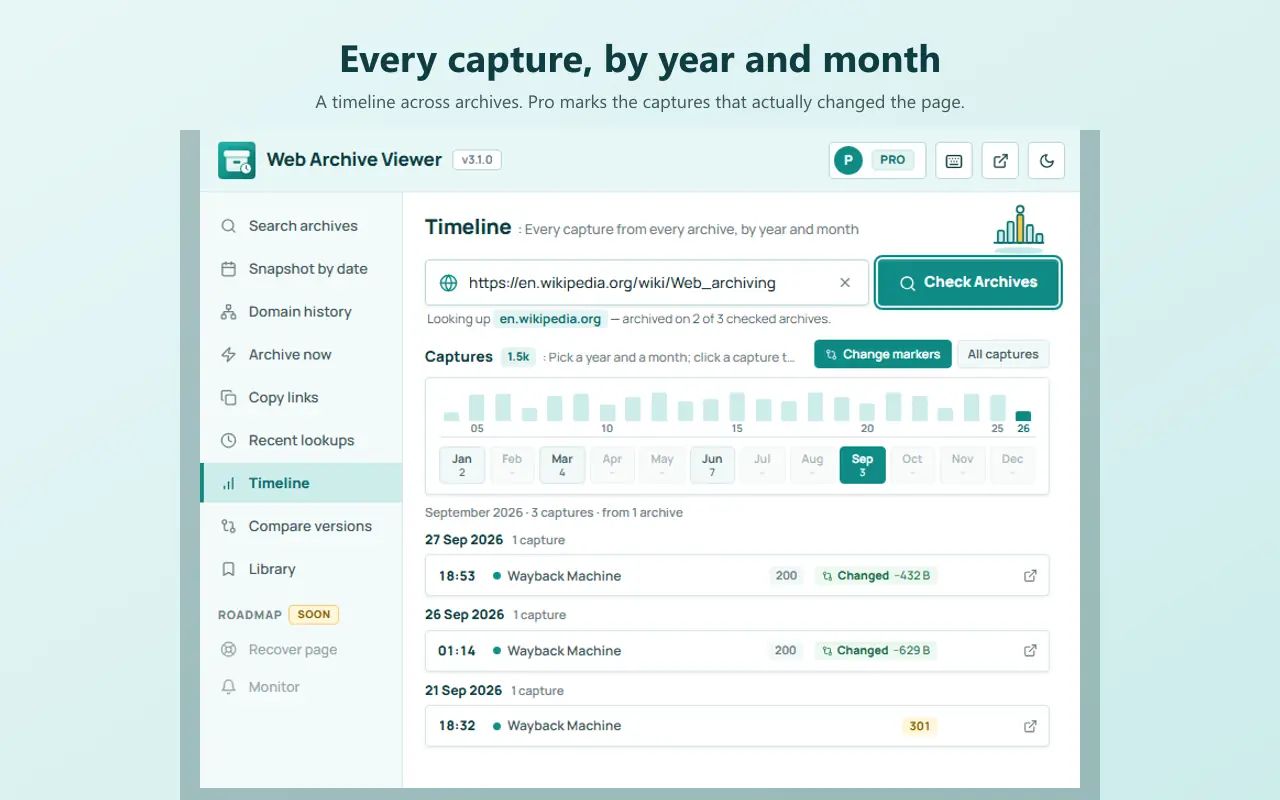
Every trick above is built into Web Archive Viewer. Snapshot by date is the timestamp trick with a date picker; Domain history is the wildcard listing on six archives at once; Archive now is Save Page Now (plus two other services); Timeline uses the archive's capture data and, with Pro, its content digests to mark the captures that actually changed. Press Alt+Shift+W to jump straight to the Wayback Machine for the current tab, or Alt+Shift+A to open the popup.
When the Wayback Machine doesn't have it
Not every page is in the Wayback Machine. Archive.today, Arquivo.pt, Archive-It, Ghostarchive, the UK Web Archive and others hold captures it doesn't. Our list of Wayback Machine alternatives explains what each one is good at, and if a page you had open yourself vanished, Edit Page's guide to recovering closed tabs and lost sessions covers your browser's own history first.
FAQ
How do I go to a specific date in the Wayback Machine?
Put the date in the URL: web.archive.org/web/20150615/example.com opens the capture closest to 15 June 2015. Shorter timestamps such as 2015 or 201506 work too.
How do I see all pages of a website in the Wayback Machine?
Use a wildcard: web.archive.org/web/*/example.com/* lists archived URLs under that domain. Filter the list to find specific sections or file types.
How do I remove the Wayback Machine toolbar?
Add id_ after the timestamp for the original response, or if_ to keep working links without the toolbar.