
A company's old logo for a retrospective, the product photo you remember from a listing that's gone, the diagram from a blog post that now 404s, your own photos from a site you no longer have the files for. When an image disappears from a website, there's often still a copy in a web archive, if you know where to look.
Start from the page the image was on
- 1
Find the page URL
The page is easier to find than the image. Use the old link if you have it, or list the site's archived URLs to find it.
- 2
Open a capture from the right time
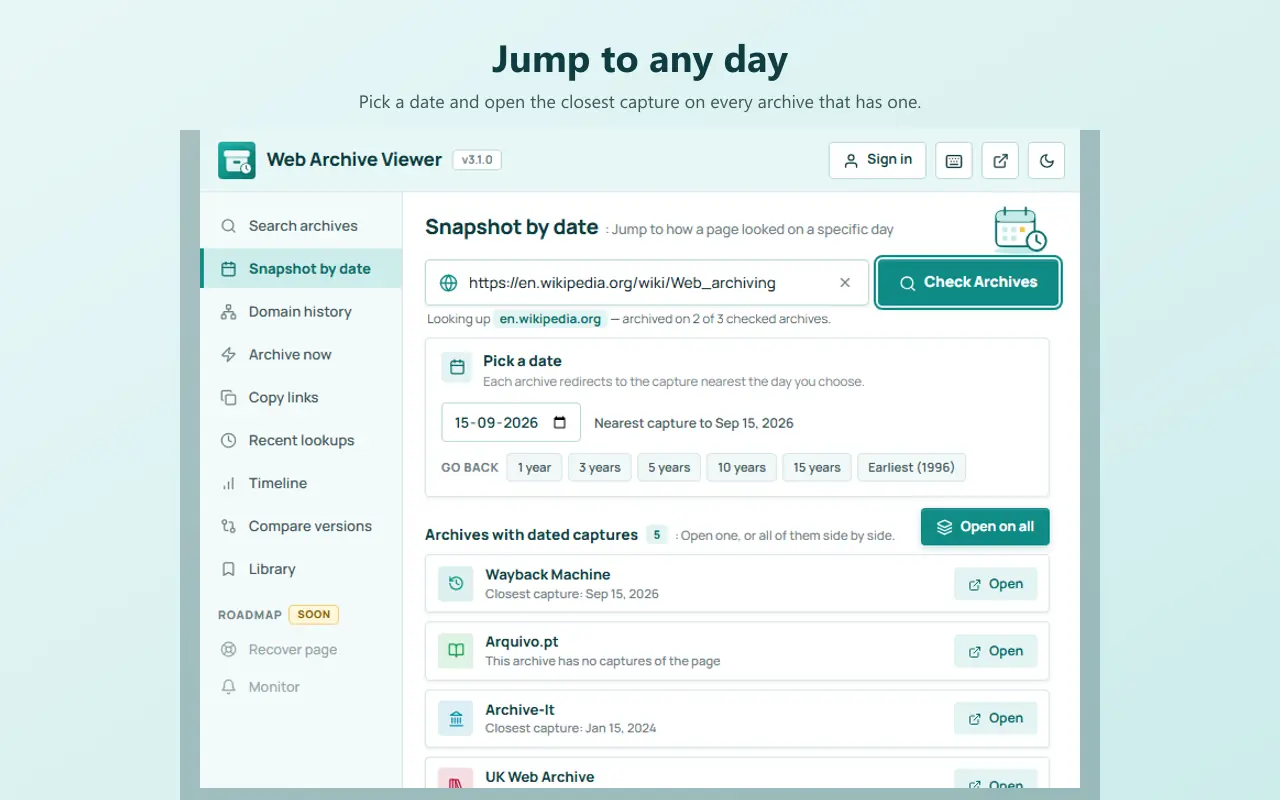
Pick a capture from when the image was still there. Snapshot by date jumps to the capture closest to a day you choose.
- 3
Open the image itself
Right-click the image in the capture and choose Open image in new tab. The address will be an archive URL for the image file.
- 4
Save the original
Save the image. If it looks small, check whether a larger version exists (see below).
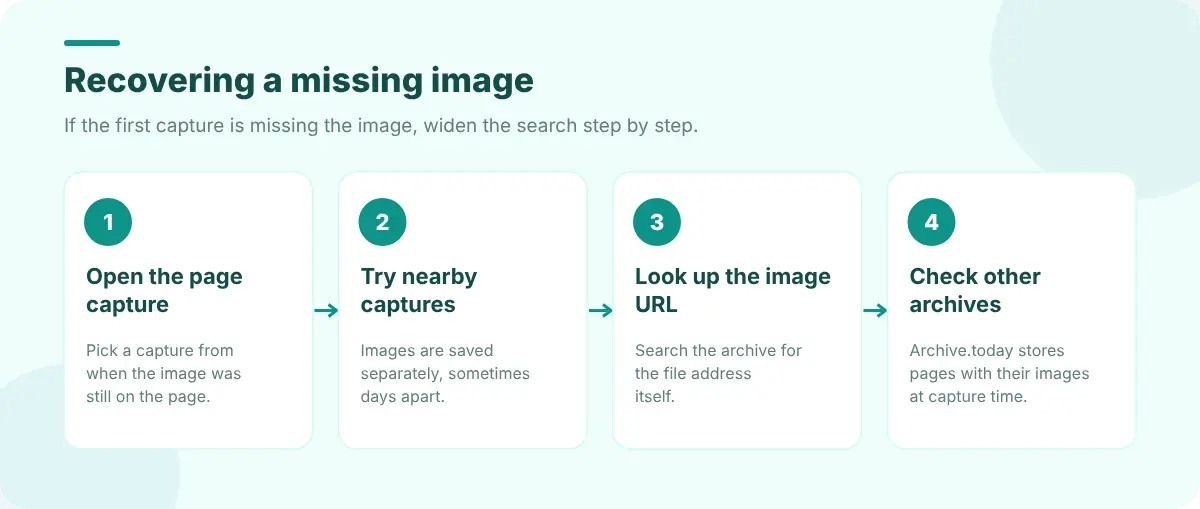
When the image doesn't load in the capture
Archives capture pages and their images separately, sometimes days apart, and some images were never captured at all. If you see a broken image:
- Try nearby captures. Open captures a few days or weeks either side; the image may have been saved with one of them.
- Look the image URL up directly. Copy the image's original address (inspect the broken image to find it) and search for that URL in the archive. It may have captures of its own.
- Try other archives. Archive.today stores a full snapshot of each page including images at the moment of capture.
- Check the CSS. Logos and hero images are often CSS backgrounds rather than
<img>tags. Their URLs are in the stylesheet, which may also be archived.
https://web.archive.org/web/2019*/example.com/images/logo.png
https://web.archive.org/web/2019im_/https://example.com/images/logo.png
The first lists captures of the image itself. The im_ flag returns the raw image without the archive's page wrapper.
Find every image a site ever had
If you don't know which page the image was on, search the site's archived URLs. A domain history lookup lists everything archived under a host, and you can filter for .jpg, .png, .gif, .svg or /images/. Web Archive Viewer's Domain history opens these views on six archives, and the Pro Full URL inventory lists up to 10,000 archived URLs with filters and CSV export.
Getting the best quality copy
- Look for the original file. Thumbnails often have size suffixes (
-300x200,_thumb,?w=400). Removing them may lead to a larger archived version. - Check `srcset`. Modern pages list several sizes; the largest one may have been captured.
- Check social previews. The page's
og:imageis often a large version, and it may be archived separately. - Search by image. A reverse image search with the archived copy can turn up larger versions elsewhere.
Save it before it disappears again
When you find the image, keep a record: save the file, note the archive URL with its timestamp, and use Archive now if the live page still exists. Web Archive Viewer's Library keeps captures in named collections with notes and tags. If you're investigating a whole missing page rather than one image, see how to recover a deleted web page. To take a clean picture of an archived page for your records, Edit Page explains how to take a full-page screenshot in Chrome.
FAQ
Does the Wayback Machine save images?
Yes, when its crawler captures them, but images are captured separately from pages and not always at the same time. If an image is missing, try nearby captures or look up the image URL directly.
How do I find an old logo of a company?
Open early captures of the company's home page and right-click the logo to open the archived image. If it's a CSS background, find its URL in the archived stylesheet.
Can I recover images from a site that no longer exists?
Often, if archives captured them. List the domain's archived URLs and filter for image file types to see everything that was saved.