
Knowing how old a website is helps in more situations than you'd think: judging whether a shop is trustworthy, dating a claim in an article, checking a source for research, valuing a domain, or settling an argument about who published something first. There's rarely a single "launch date" written down, but you can get close by combining a few sources.
Four dates, four meanings
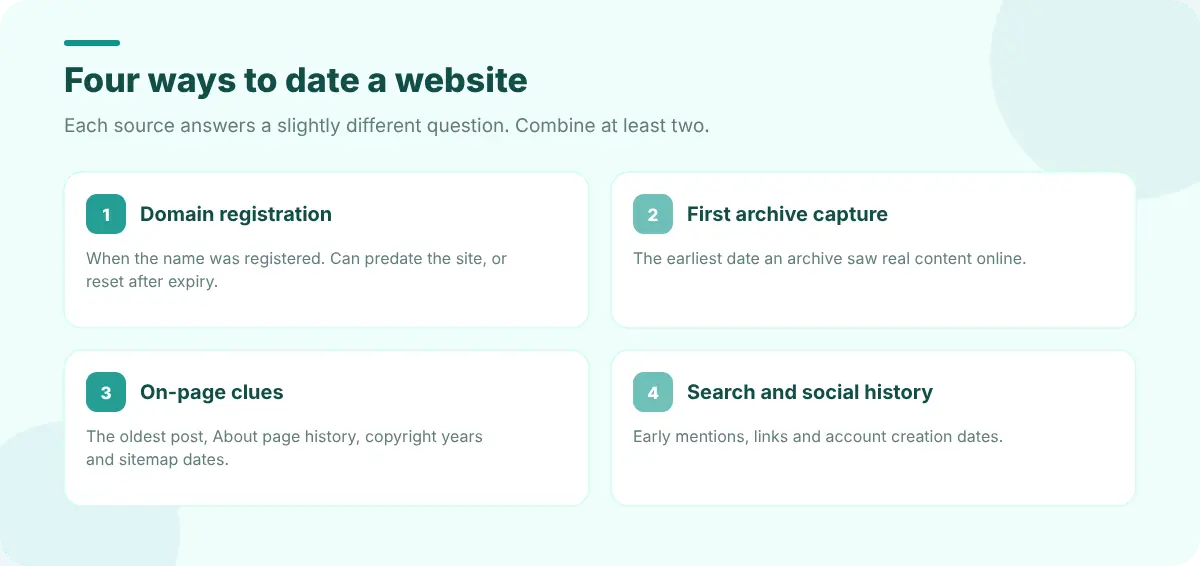
| Source | What it tells you | Watch out for |
|---|---|---|
| Domain registration (WHOIS/RDAP) | When the domain name was first registered | Domains are often registered years before a site goes live, or re-registered after expiring |
| First archived capture | The earliest date an archive saw the site online | Small sites may not have been crawled straight away |
| On-page clues | Copyright years, first blog post, "founded in" pages | Footers are often updated or wrong |
| Search and social history | The earliest mentions, links and posts | Results can be incomplete or re-dated |
1. Find the first archived capture
Web archives are the best evidence of when a site was actually online. The Wayback Machine has been capturing the public web since 1996.
- 1
Look the domain up
Enter the domain in the Wayback Machine and look at the timeline above the calendar. The first bar shows the earliest year with captures.
- 2
Open the earliest capture
Click the first highlighted date in that year to see what the site looked like then.
- 3
Check other archives too
Archive.today, Arquivo.pt and national archives sometimes have earlier captures of particular pages.
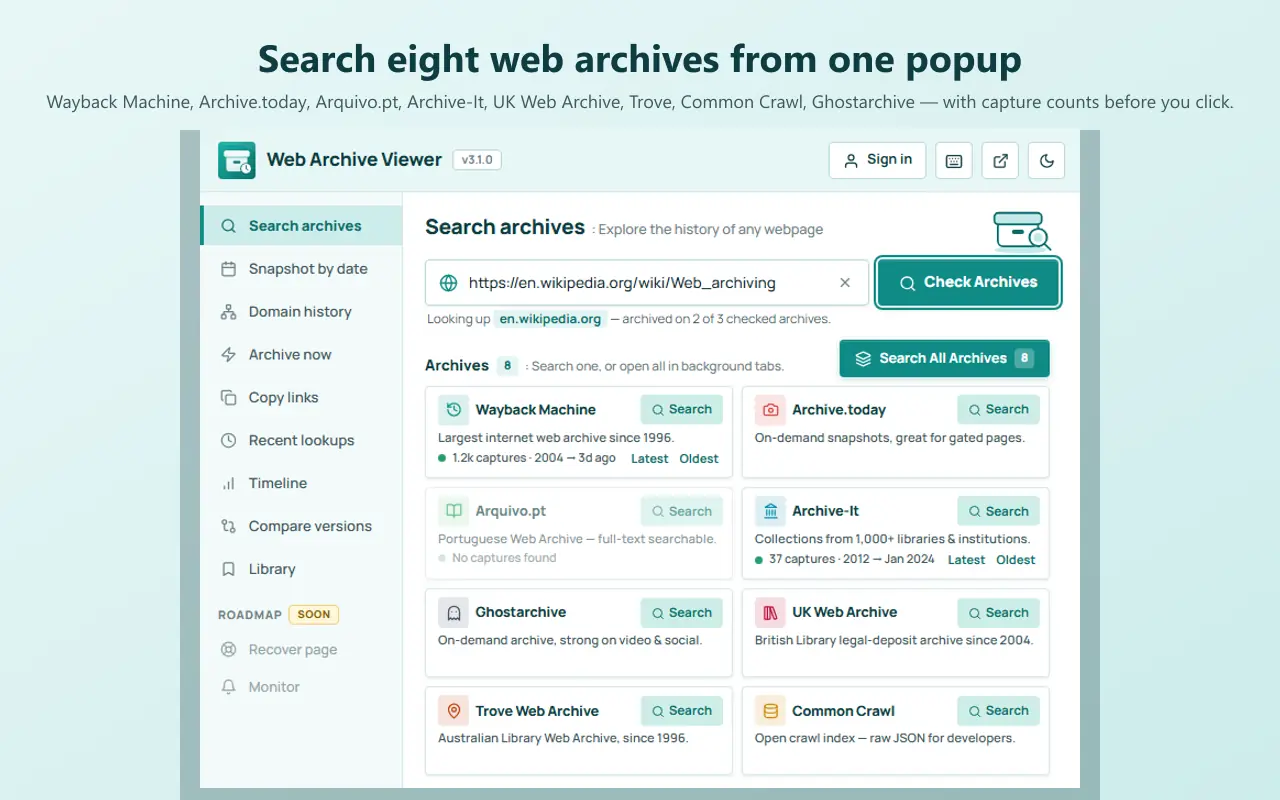
Web Archive Viewer speeds this up: its Search archives cards show the capture count and the first and last capture for archives with a data API, so the earliest date is visible at a glance, and Snapshot by date has an "earliest" preset that opens the oldest capture directly.
https://web.archive.org/cdx/search/cdx?url=example.com&limit=1The Wayback Machine's CDX API returns the oldest capture first, so limit=1 gives you the earliest date in one line.
2. Check the domain registration date
A WHOIS or RDAP lookup (for example ICANN's lookup tool, or your registrar's) shows the domain's creation date. It's an upper bound on how old the site can be at this domain, but not proof of when it launched. Two common traps:
- Re-registered domains. If a domain expired and was registered again, the creation date resets, even though an older site may have lived there. Archives will show the earlier life.
- Parked domains. A domain registered in 2010 may have shown a parking page until 2018. The first capture with real content is the better launch date.
If you're checking a domain before buying it, the history matters as much as the age; see how to check a domain's history before you buy it.
3. Read the clues on the site itself
- The oldest blog post or news item. Sort the archive or blog by date and go to the last page.
- About, history and press pages. Companies often state their founding year.
- Copyright years such as "© 2014–2026" give a hint, though footers are often templated.
- Sitemap dates.
/sitemap.xmlsometimes includeslastmoddates for old pages. - Old URLs. Domain history lists every archived URL under a site, and the oldest ones show what the site published first.
4. Check search and social history
Search for the site's name or domain with a date range, look for the earliest links from other sites, and check when its social accounts were created. These are supporting evidence rather than proof, but they help when archives are thin.
Putting it together
A sensible answer usually reads like: "The domain was registered in March 2012; the earliest archived capture with real content is from June 2013." Cite the archive URL with its timestamp so anyone can check it. Our guide on citing archived web pages has the formats, and Web Archive Viewer's Library can save the capture and generate the citation for you.
FAQ
Is the domain creation date the same as the website's age?
No. It's when the domain name was registered, which can be years before a site launched, or reset when an expired domain was registered again. The first archived capture with real content is usually a better launch date.
Why is there no archive capture for a site I know is old?
Small or private sites may not have been crawled, and sites can ask archives to exclude them. Check several archives, and look for captures of specific pages rather than only the home page.
Can I prove when a page was published?
An archived capture proves the page existed at least by the capture time. Cite the full archive URL including its timestamp, and capture the page yourself with Archive now if it matters.