
A good domain name is often already taken, so many people buy a previously used or expired domain. Sometimes that's a bargain: an old domain with clean history and real links. Sometimes it's a trap: a former spam site, a doorway for gambling or pharma links, or a name tied to someone else's trademark. The archive tells you which.
What to check
Step 1: Look at its archive history
- 1
Open the first and last captures
Search the domain in a web archive and note the earliest and latest captures with real content.
- 2
Sample every year
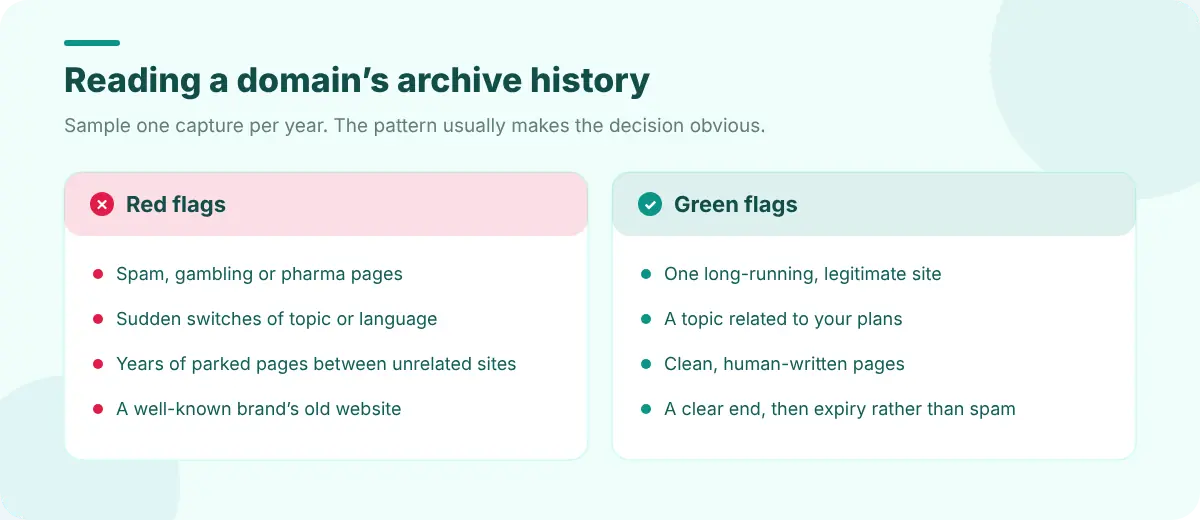
Open one capture per year. You're looking for changes in owner, language and topic.
- 3
List its URLs
Domain history shows every archived URL. Thousands of keyword-stuffed pages or odd folders such as /casino/ or /cheap-pills/ are a warning.
- 4
Check other archives
Some periods are better covered by Archive.today or national archives than the Wayback Machine.
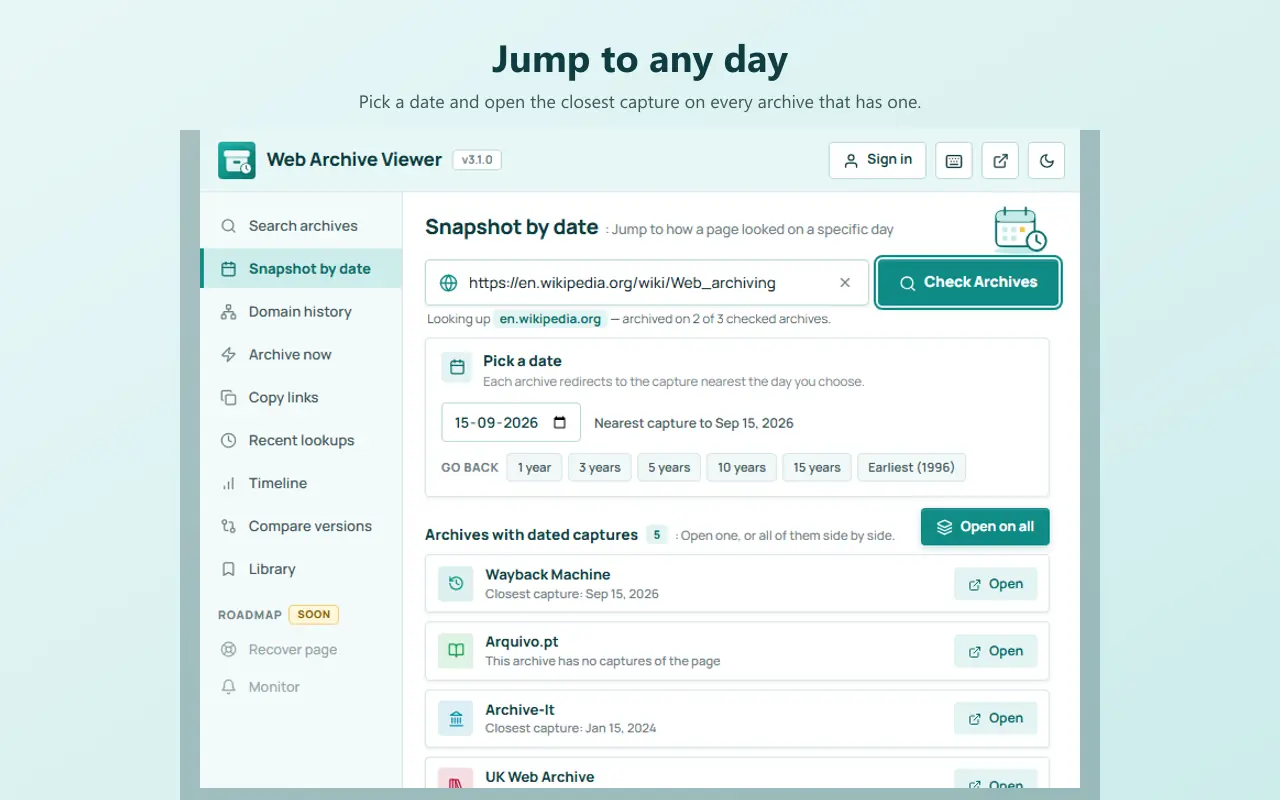
Web Archive Viewer puts these in one place: Search archives shows capture counts and first and last dates, Snapshot by date opens the capture closest to any day (with quick presets for 1, 3, 5, 10 and 15 years ago), and Domain history lists every archived URL under the host, with one-click www/non-www and http/https variants.
Red flags
- Spam content: auto-generated articles, pages stuffed with links, or adult, gambling or pharma content the domain name doesn't suggest.
- Sudden topic or language switches, often a sign the domain was bought to exploit its links.
- Long stretches of parked pages between unrelated sites.
- A well-known brand's old site. Using a domain that people associate with someone else can mislead visitors and create trademark problems.
- Malware or phishing history. Check the domain in a safe-browsing or reputation lookup.
Green flags
- A single long-running, legitimate site, ideally on a related topic.
- Clean, human-written pages and a sensible URL structure.
- A clear end (the business closed or rebranded), followed by expiry rather than years of spam.
Step 2: Check registration and reputation
- WHOIS/RDAP shows the current registration and, for some domains, how long it has existed in its current registration. See when was a website created for how this differs from the site's age.
- Search the domain in quotes to see what other sites say about it.
- Backlink tools show which sites link to it; links from spammy sites are a warning sign.
- Trademark searches in your country, if the name resembles a brand.
If you buy it
Capture the domain's history before you change anything, and keep notes on what you found. If old URLs still get traffic or links, decide which to redirect to relevant new pages and which to let return 404 or 410. Web Developer Tools explains checking redirects and status codes, and finding every archived URL on a domain gives you the list to work from.
FAQ
How can I see what was on a domain before?
Look the domain up in the Wayback Machine or another web archive and open captures from different years. Listing the domain's archived URLs shows what kinds of pages it hosted.
Is it bad to buy an expired domain?
Not necessarily. Expired domains with a clean, relevant history can be good buys. Those with spam, unrelated content or brand associations are risky.
Can a domain's past hurt my SEO?
It can. A history of spam or manipulative links may make search engines cautious with the domain for a while. Check the archive history and backlinks before buying.