
Online sources change and disappear. Statements are edited after criticism, press releases are quietly corrected, government pages are restructured, and personal sites go offline. For anyone whose work depends on what a page said at a particular moment, web archives are as essential as a notebook.
This is a workflow that journalists, academics, fact-checkers and investigators can use: preserve, verify, compare and cite.
The workflow at a glance
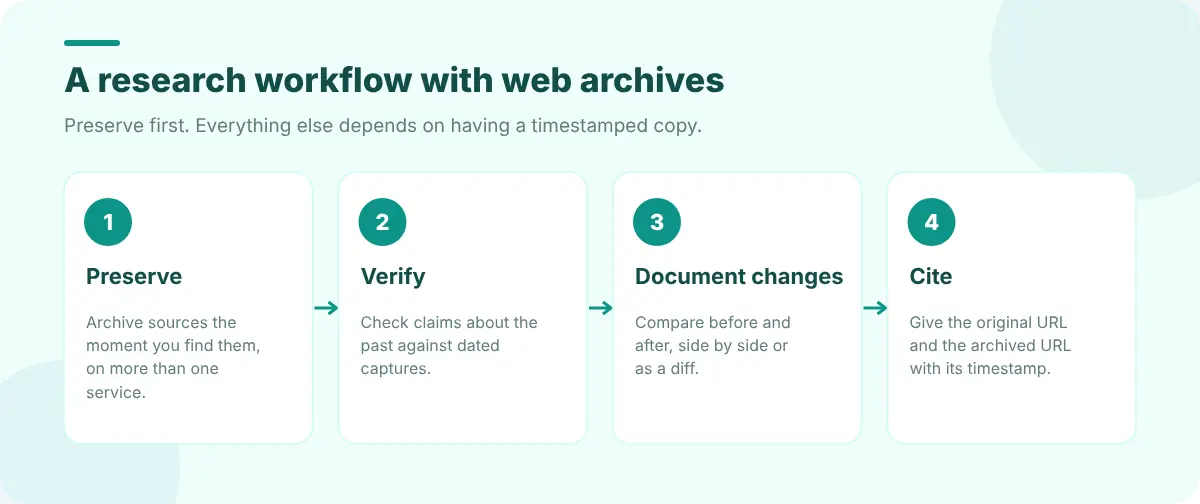
1. Preserve sources as you find them
The moment a page becomes part of your research, archive it. Don't wait until you're writing: by then it may have changed.
- Request captures on more than one service. Web Archive Viewer's Archive now sends the current page to the three services that accept on-demand saves, so you have independent copies.
- Keep your own copy too: a saved page or PDF and a full-page screenshot.
- Record the context: when you found it, how, and why it matters.
Our guide to archiving a web page permanently compares the services in detail.
2. Verify claims about the past
"They removed it" and "it always said that" are both testable. Look up the page in several archives and open captures from the relevant dates. Web Archive Viewer searches eight archives at once and its Timeline lists every capture by date across the archives it can query.
3. Document changes precisely
When a statement or article has been edited, show exactly how. Compare a capture from before with one from after: side by side for layout and headlines, a text diff for wording. See how to compare two versions of a web page. For policy documents, tracking changes to terms and privacy policies walks through the same process.
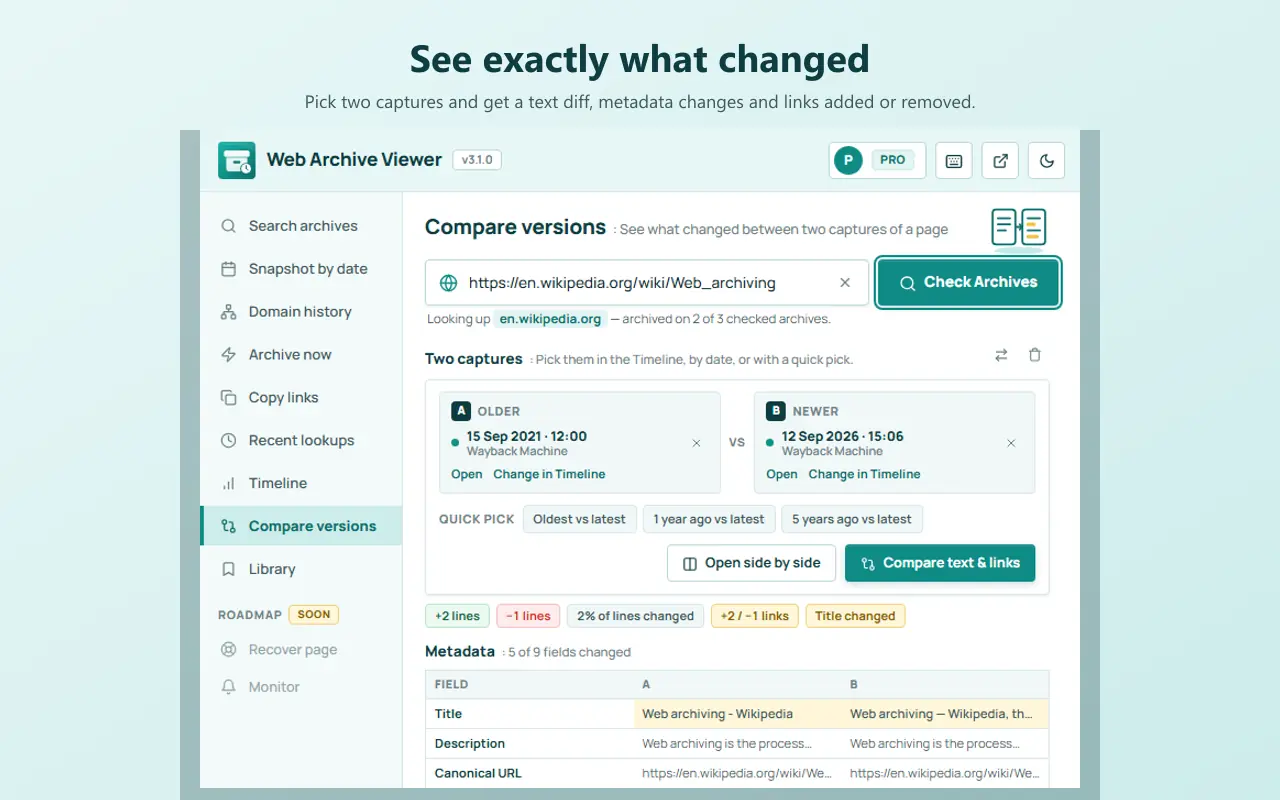
Pro's Search history finds a word or phrase across archived copies of a page over time, which is a fast way to answer "when did this sentence first appear, and when was it removed?"
4. Cite archived copies
Give readers both the original URL and the archived URL with its timestamp, so they can verify your source even if the live page changes. Web Archive Viewer's Library saves captures into collections with notes and tags and formats citations in APA, MLA, Chicago, BibTeX and Wikipedia styles. Our guide on citing an archived web page has examples for each.
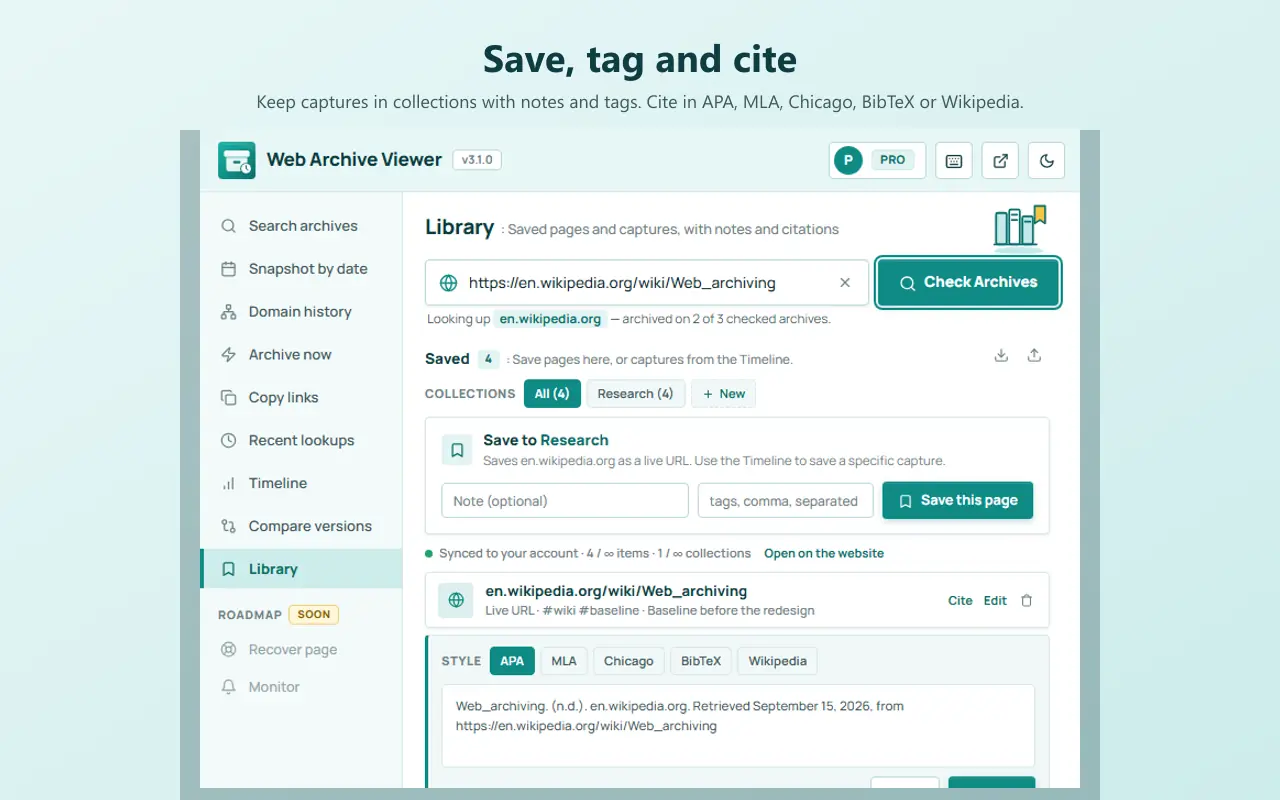
Organise a research project
- One collection per story or paper in your archive library.
- One browser session per project: Super Session Manager saves the tabs for each investigation so you can close them and come back later.
- Quick notes where you browse: CentPage's guide to taking quick notes in your browser shows a simple capture habit.
- A source log with the original URL, archive URLs, dates and notes.
FAQ
How do I prove a web page said something in the past?
Find a capture of the page from that date in a public web archive and cite its full archive URL with the timestamp. Independent captures from more than one archive make the evidence stronger.
Should I archive my sources even if they seem stable?
Yes. Even official pages are restructured and corrected. Archiving takes seconds and protects your work against link rot and silent edits.
Can archived pages be used as evidence?
They're widely used in journalism, academia and legal disputes. How a court treats them depends on the jurisdiction, so seek professional advice when it matters.