
Documents are some of the first things lost when a site changes. A product manual for a model that's discontinued, last decade's annual report, a research paper hosted by a lab that moved universities, a government form replaced by a newer one. They often still exist in web archives, and they're easier to find than you might think.
If you have the old link
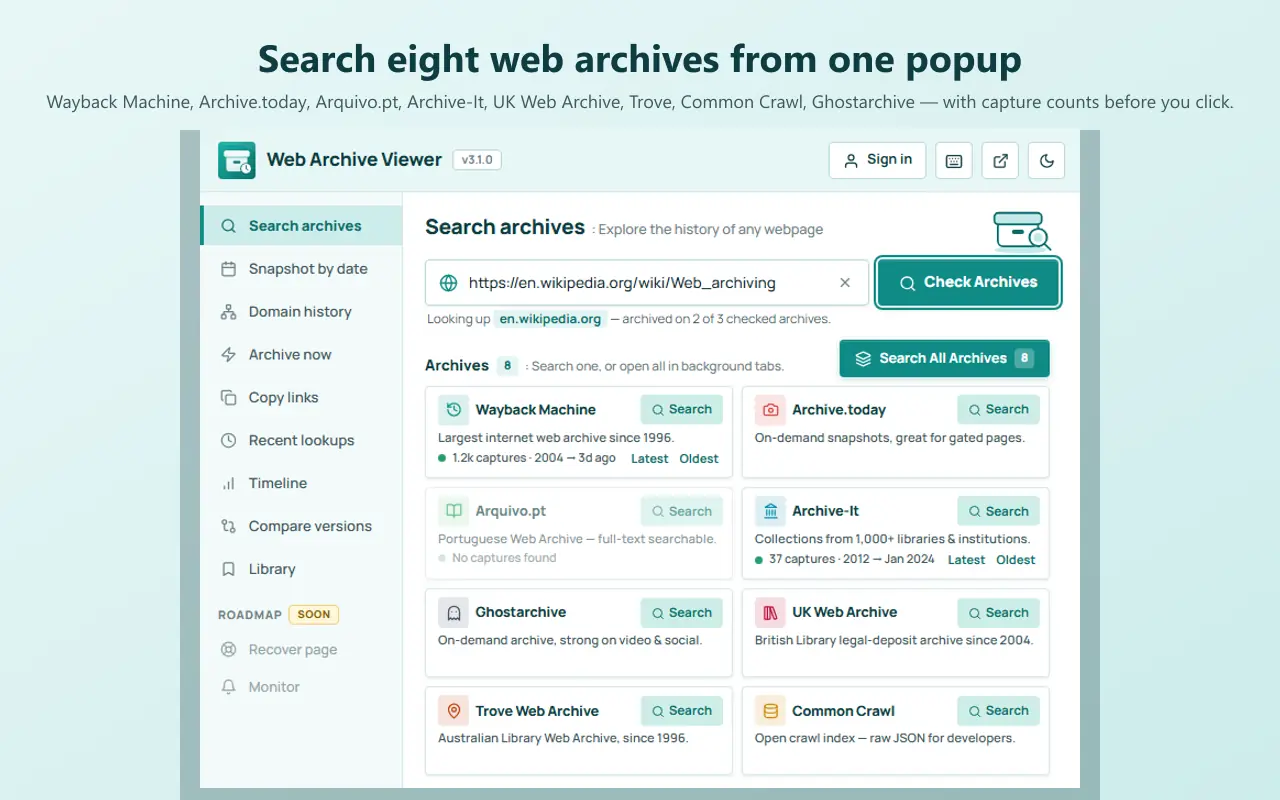
Paste the document's URL into an archive, just as you would to recover a deleted web page. If the Wayback Machine or another archive captured the file, you'll get it back as it was. Try several archives: Web Archive Viewer searches eight at once from the URL in your current tab.
If you don't know the exact link
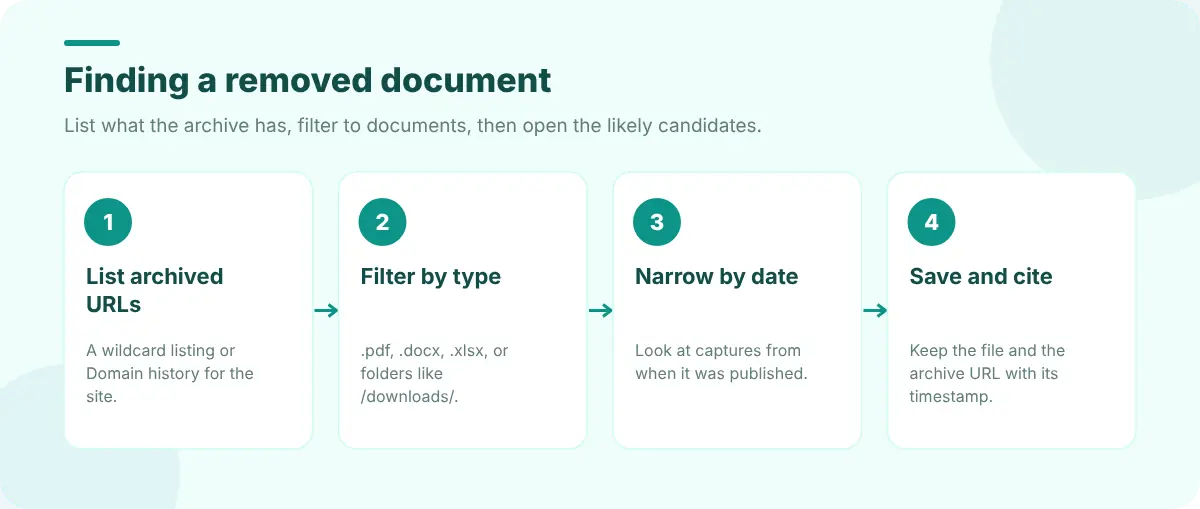
- 1
List the site's archived URLs
Use a wildcard listing such as web.archive.org/web/*/example.com/* or Web Archive Viewer's Domain history to see what was saved under the domain. Finding every archived URL on a domain explains both.
- 2
Filter by file type
Search the list for .pdf, .doc, .docx, .xls, .ppt or folder names such as /downloads/, /files/ or /media/.
- 3
Narrow by date
If you know roughly when it was published, look at captures from that period.
- 4
Open and save
Open the capture, save the file, and note the archive URL with its timestamp.
https://web.archive.org/cdx/search/cdx?url=example.com&matchType=domain&filter=mimetype:application/pdf&collapse=urlkeyThe CDX API can list only PDFs under a domain, one row per unique URL.
For large sites, Web Archive Viewer's Pro Full URL inventory lists up to 10,000 archived URLs under a host, including PDFs and subdomains, with filters and a CSV export, and hands the list to Bulk lookup to check which documents are still live.
Other places documents survive
- Search engines sometimes still index a PDF after the linking page is gone. Search for a distinctive phrase plus
filetype:pdf. - Repositories and libraries for academic papers, government publications and company filings.
- The new site. Documents are often moved rather than deleted; search the new site for the title.
- Ask. Organisations will often send an old document on request, especially reports and manuals.
Why documents vanish, and how to stop it
Documents are usually stored outside the CMS, so migrations skip them; they're linked from pages that get deleted; and nobody tracks their URLs. If you publish documents, keep stable URLs, redirect moved files, and archive important ones publicly with Archive now. Our guide to fixing link rot covers checking a site's links before they break, and Web Developer Tools explains checking redirects and status codes for moved files.
FAQ
Does the Wayback Machine archive PDFs?
Yes. When its crawler finds a link to a PDF, it often captures the file itself. Look up the PDF's URL directly, or list the domain's archived URLs and filter for .pdf.
How do I find a PDF if I only know its title?
Search for the exact title in quotes with filetype:pdf, check archived copies of the page that used to link to it, or list the site's archived URLs and search for words from the title.
Why does an archived PDF fail to open?
Some captures are incomplete, or the archive only saved an error page at that time. Try other captures of the same URL, or other archives.